
A manufacturing automation assessment is a structured look at your plant before you spend money on equipment. It works out which processes are worth automating, which to look at first, and roughly what each would cost and return. The same process works whether you’re setting an automation strategy for the first time or already have a roadmap and need the projects on it scoped properly.
At Invio, assessments run as a Factory of the Future workshop. A team of our engineers, matched to the problem you’re trying to solve, spends two to three days on your floor with your people. They then spend four to six weeks back at Invio turning what they found into engineering deliverables. Layout drawings and 3D concepts make each idea specific, modeling and simulation test the assumptions behind it, and cost estimates and a business case give your leadership team what it needs to judge the investment.
On one recent two-day visit, the team logged 28 possible automation projects, and four went forward for deeper study. Narrowing the list like that is how the workshop right-sizes the automation, so each project’s scope matches what the business needs from it.
Below, we walk through each stage, from the first scoping call to the final report, and what happens once you have it.
At a Glance: The Four Stages of an Automation Assessment
Swipe sideways to see the full table →
| Stage | Timing | What happens | What you get |
|---|---|---|---|
| 1. Scoping | Before any visit | A 30-minute introductory call, an optional half-day visit, then a scoping call of about an hour | An agreed scope and a firm quote |
| 2. Onsite workshop | 2 to 3 days | Process walks, the Big Board and the 2×2, with Hot-Spot Scoring where a more detailed ranking is needed | A ranked shortlist agreed with your team |
| 3. Engineering | 4 to 6 weeks | Layouts, 3D concepts, modeling and business cases, with weekly check-ins | Concepts tested against your real constraints |
| 4. Report-out | One session | Findings presented to your team and leadership | The deliverables agreed in your scope |
Before the Workshop: Scoping the Assessment
Most engagements start with a 30-minute introductory video call with our Factory of the Future team. It’s a chance to talk through what you’re trying to fix, what’s getting in the way, and whether an assessment is the right next step. Where it would help, we’ll follow up with a half-day site visit at no charge.
Next comes the scoping call, which usually takes about an hour. We define the problem with you and agree what the assessment needs to cover, so nobody travels until that’s settled.
Choosing the Right Scope
There are two common starting points. A Priority Project Investigation takes one candidate project, often a bottleneck you already know about, through to a functional specification and a drafted RFQ. An End-to-End Opportunity Assessment covers the whole plant and ranks every opportunity the team finds. Plenty of customers start with one and come back later for the other.
From there, we put together a short set of options. A lighter engagement might be two days on site and one or two engineering deliverables. A broader one adds deliverables, deeper analysis and sometimes an extra day on site. You pick the option that fits, we issue a firm quote, and work starts once the PO is in.
Who Needs to Be Involved
During the workshop, our team spends time with your technicians, operators, engineers and leadership, so it helps to have them lined up before we arrive.
To get the most out of the workshop, we ask that your manufacturing engineers and key project stakeholders attend. Your manufacturing engineers bring detailed knowledge of the line, the process and its constraints, while project stakeholders provide the wider goals, timelines and decision-making context. Having both in the room means we can move from discussion to practical solutions without waiting on follow-up answers.
What to Prepare Before the Workshop
Sharing a few key documents in advance means our team arrives already familiar with your operation and ready to work on specifics:
- Facility layouts: current floor plans showing the production area, routes, and any space constraints
- Product CAD: models of the parts or assemblies involved, so we can assess handling and transport requirements
- Assembly sequence of operations: the relevant steps in your assembly process, showing how product moves from one stage to the next
The more we understand before we arrive, the more workshop time we can spend on solutions rather than discovery.
The Onsite Days: What Happens on Your Floor
A typical workshop runs for two days on site. Larger plants, or engagements that cover more than one value stream, can take three or four.
We pick the Invio team to suit the problem. If most of the work is about moving material, you’ll get engineers who work on AGVs. If it’s mostly robotic, you’ll get robotics specialists. The people walking your floor work on these systems day to day, so every idea gets judged on whether it can actually be built and run.
Over the two days, the team looks at your existing tooling, reviews product CAD and any plans for new facilities, and talks to the people on the floor who know where the problems are. Four tools give that work some structure.
Process Walk Worksheets
The workshop starts on the floor. Everyone on the walk carries the same worksheet, with a short set of yes/no questions that flag whether a process is a good candidate for automation. Because everyone answers the same questions, an operator’s notes and a plant manager’s notes can be compared side by side afterward.
The Big Board of Opportunities
After the walk, the team splits the plant into process blocks and works through them one at a time on a large whiteboard. The aim is to get every idea in the building onto one wall, the small fixes as well as the big projects. That’s how a two-day visit ends up with a list like the 28 opportunities mentioned earlier.
The 2×2: Value Against Complexity
Next, each opportunity goes on a grid, with value to the business on one axis and complexity and time on the other. The session takes under two hours, and it shapes where the engineering weeks get spent.
Value is judged on factors such as:
- Labor savings
- Safety and ergonomic risks that can be engineered out
- A measurable reduction in lost-time injuries
- Relief for a bottleneck
- Room to increase output without adding headcount
- Quality
- Positions that are hard to fill
- Flexibility as products and volumes change
Complexity looks at:
- Whether there’s precedent for this kind of automation in your industry
- How many variants or SKUs the process handles
- Cycle-time constraints
- How far the risks can be reduced
- Floor space
- How much testing it will need
- Whether a new process has to be developed
Dependencies between projects get flagged at the same stage, so nothing gets planned ahead of the work it relies on.
Hot-Spot Scoring
Where a portfolio needs more than a directional view, Hot-Spot Scoring puts a number on each opportunity. Each one is scored against weighted criteria and ranked by its weighted average, which puts the shortlist in a clear order. Once cost and ROI estimates exist, they go into the same score, and it can be run again after a project is installed to see how the estimate held up.
By the End of the Visit
By the time the team leaves, you’ve agreed together which opportunities go forward for concept work. The technical requirements for each are written down, and the ideal future state of the area has been sketched out on the whiteboard. The engineering weeks are built around that shortlist.
The Engineering Weeks: Turning the Shortlist Into Concepts
After the visit, the work moves back to Invio for four to six weeks. Our application engineers develop automation and tooling concepts for each area on the shortlist. We meet with your team every week during this phase, and the concepts change as both sides learn more about the problem.
Layouts and 3D Concepts
The first job is to make each idea specific. A 2D AutoCAD layout shows how the area would look in its future state, and 3D concepts show the tooling and automation for the strongest opportunities. Once an idea is drawn to scale, the assumptions behind it can be checked: whether it fits the space, whether parts can reach it, whether operators can still get to it.
Simulation, Matched to the Question
Visual Components is our main platform, and it’s what we use for the 3D animations. Not every question needs a full simulation, though. Where the question is mainly about capacity, a static model in Excel is often enough. When flow changes over time, with queues building, shifts changing or demand going up and down, we use FlexSim to run a dynamic simulation. AGV projects get their own fleet models. We use the simplest model that can answer the question.
The Animation Flyover
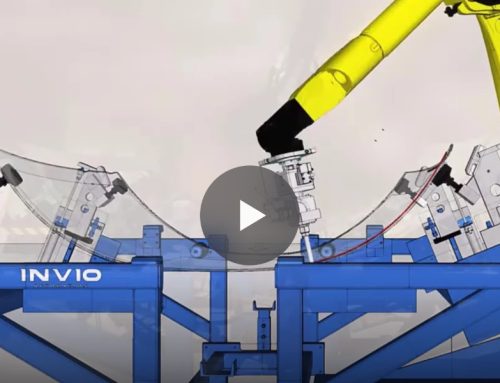
One output customers use a lot is the animated flyover: a two- to three-minute video of the proposed future state. It’s short and easy to share, and plant leaders often use it to show their workforce what the future of the facility looks like.
What a Factory of the Future workshop produces, from 2D layouts and 3D concepts to the animation flyover.
Invio’s Factory of the Future team explains the engineering and business case deliverables from a workshop, and how customers use the animation flyover.
The Business Case
Alongside the engineering, we build the business case for each opportunity. It covers ROI, expected output and throughput, an estimate of capital cost and a likely lead time. Those figures are only as good as the assumptions behind them, such as production volume, operating hours and the scope of the equipment, so it’s worth reading them together. It also has to say plainly whether the project makes sense. Sometimes the numbers show a project isn’t worth doing yet, and it’s better to learn that before a capital request goes in.
What You Receive: The Report and Deliverables
The engagement ends with a single report-out session. We present the findings to your team and leadership together, and you receive the deliverables agreed in your scope.
The Deliverables
Your agreed scope sets out which deliverables you’ll receive. Depending on the engagement, they can include:
- A 2D AutoCAD layout of the future-state area
- 3D concepts of the top tooling and automation opportunities
- An animation, static model or discrete event simulation, chosen to answer the project’s questions
- Budgetary estimates
- A business case for each opportunity selected for detailed study, with its main assumptions and risks
- An executive report and presentation, with a roadmap for full-plant assessments
Depending on the scope, it can also include specifications, a drafted RFQ, or a proof-of-concept test.
A Worked Example: From 28 Opportunities to 4 Projects
Here’s what one of those reports looked like. The customer and its plant are anonymous, but the structure is typical.
The two-day site visit logged 28 possible automation projects. The customer and our team then picked four of them for deeper study during the engineering weeks. The final executive report ran to about 60 pages. It opened with an executive summary and a project overview, followed by the full opportunity board, so the customer could see all 28 ideas and why each one was ranked where it was.
Each of the four selected projects then had its own section, with:
- A description of the project
- The value it would bring to the business
- An estimate of capital cost and lead time
- CAD and technical visuals
- Similar projects Invio has delivered elsewhere
- A business case with ROI
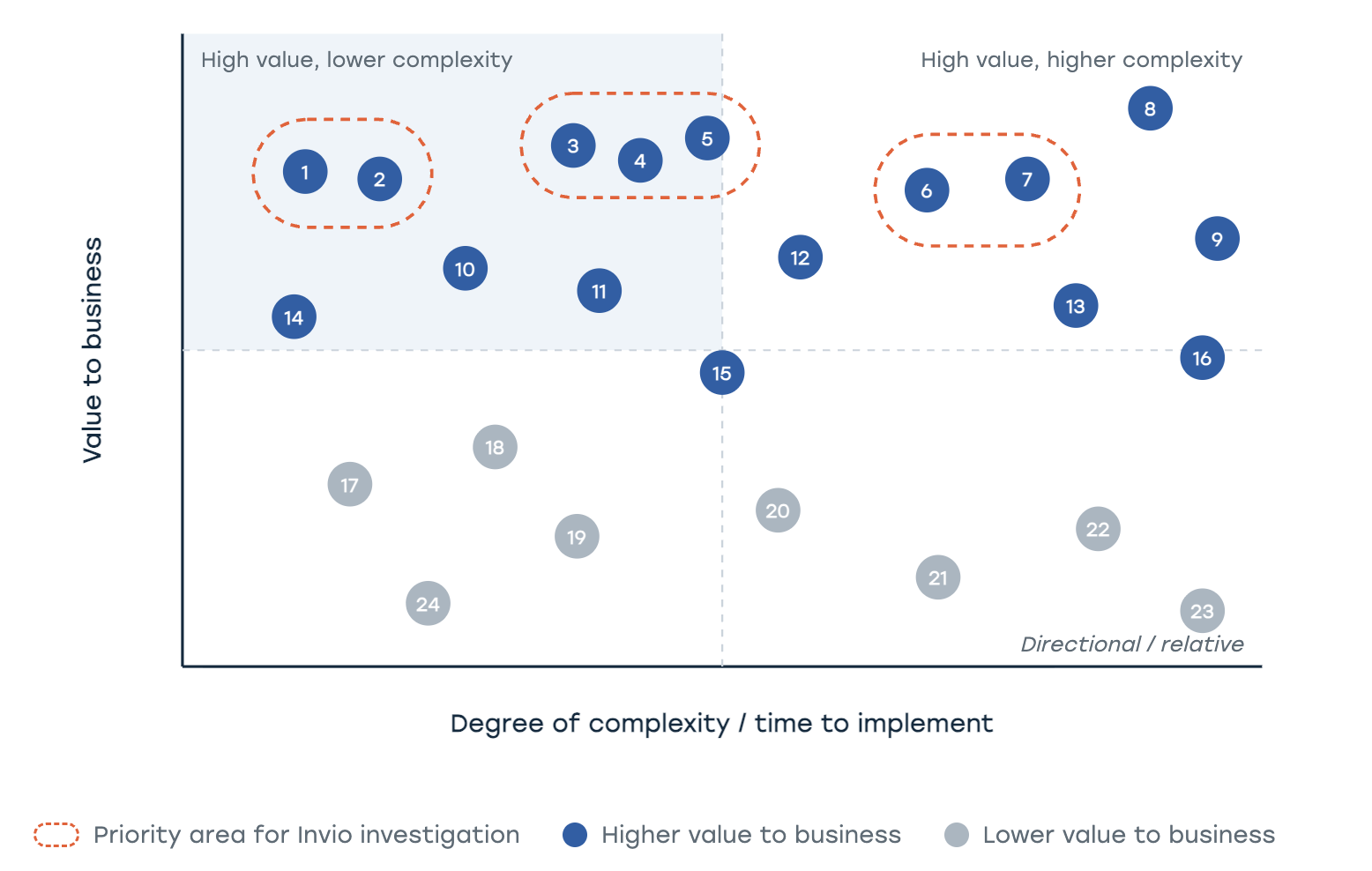
Example opportunity matrix from a Factory of the Future workshop, shown to illustrate the prioritization method.
The other 24 ideas stayed on the board, ranked and documented. Some can go into a later phase. Others came out low enough that they’re probably not worth pursuing, and the report says so.
After the Assessment: Building What You’ve Chosen
The report is yours to use however you like. The estimates are written so they can go straight into a competitive RFQ, and you can take the deliverables to any integrator.
If you’d like Invio to build it, the selected projects move to a firm quote and then into design and build at one of our Michigan facilities, and your consulting fee is credited toward any Invio-supplied hardware. One team handles the whole project: mechanical, electrical and controls engineering, machine build, robotics, factory acceptance testing, installation, commissioning, site acceptance testing, training and aftermarket support. We don’t routinely subcontract any of it, so the design doesn’t get handed to a third party to interpret.
That’s the main difference from a strategy consultancy, which usually stops at the report. Invio has been designing and building factory automation for 50 years, and the assessment is the first step in that process rather than a separate product. Our Factory of the Future page sets out the full comparison.
Automation Assessment: Frequently Asked Questions
What is a manufacturing automation assessment?
It’s a structured review of your plant that shows which processes are worth automating, in what order, and what each would cost and return. At Invio, it runs as a Factory of the Future workshop, followed by engineering work that turns the findings into concepts and a business case.
How long does an automation assessment take?
Most take two days on site and four to six weeks of engineering at Invio, with weekly check-ins. Larger plants or multi-site work can need three or four days on site and a longer engineering phase.
Who should be involved from our side, and what should we prepare?
We recommend that your manufacturing engineers and key project stakeholders attend the workshop. Your engineers bring detailed knowledge of the line and its constraints, while stakeholders provide the wider goals and decision-making context.
Before the visit, please share your facility layouts, product CAD, and the relevant assembly sequence of operations. Having these in advance lets our team arrive familiar with your operation, so workshop time is spent on solutions rather than discovery.
Can an assessment cover a new facility?
Yes. Alongside your existing lines, the team can review plans for a new facility and develop the layout and automation concepts for it before construction decisions are locked in.
What’s the difference between an automation assessment and a feasibility study?
A feasibility study usually looks at one idea. That’s close to a Priority Project Investigation, which takes a single project through to a functional specification and a drafted RFQ. An End-to-End Opportunity Assessment looks across the whole plant first and ranks everything it finds, so you can see which ideas deserve a feasibility study at all.
Do we get an automation roadmap?
Yes. The executive report and presentation include a roadmap that sets out which projects to tackle first and how the rest fit around them.
What if the assessment finds nothing worth automating?
Then the report will say so. Sometimes the bigger gain comes from fixing flow, layout or a process constraint first, and automating what’s left afterward. A business case that rules a project out can save far more than the assessment costs.
How much does an automation assessment cost?
Each one is quoted individually after the scoping call, because the amount of engineering depends on the size of the plant and the scope you choose. You get a firm quote before any work starts. If Invio goes on to build the system, the consulting fee is credited toward any Invio-supplied hardware.
Factory of the Future
Not sure where automation fits in your plant?
Start with a 30-minute video call with our Factory of the Future team. Where it makes sense, we’ll follow it with a half-day site visit at no charge.
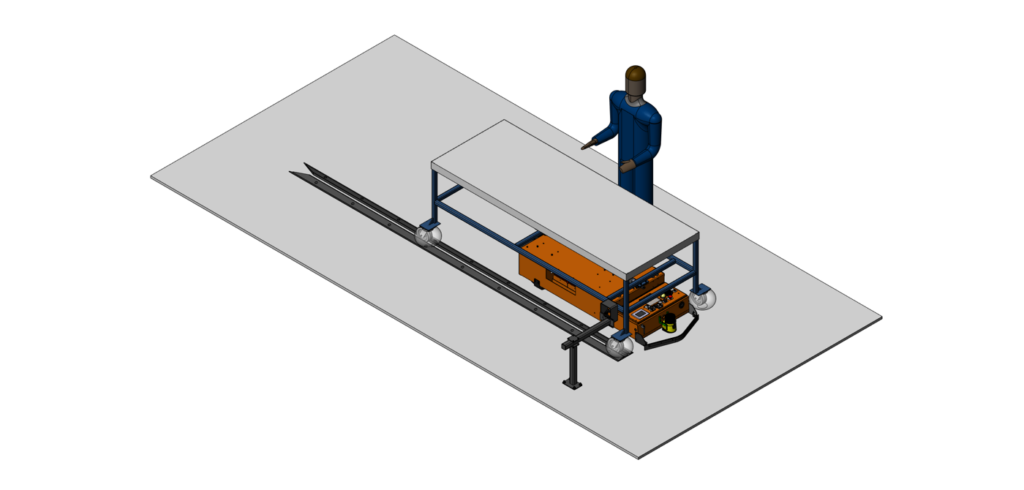 AGV Material Flow for a Building Products Manufacturer